
APK Download:http://bit.ly/1PLuMa5
Android Download:http://bit.ly/1H5Ogou
Official Site:https://dragonblade.vstargame.com/
Facebook Page:https://www.facebook.com/dragonbladegame
# Note: The players need to reach level 10 for displayed MyCard options
Currently there are two methods to top up using MyCard:
I) Official site top up
II) In-game top up
I) Official site top up:
1. Visit the official page:https://dragonblade.vstargame.com/
2. Click 【Pay】
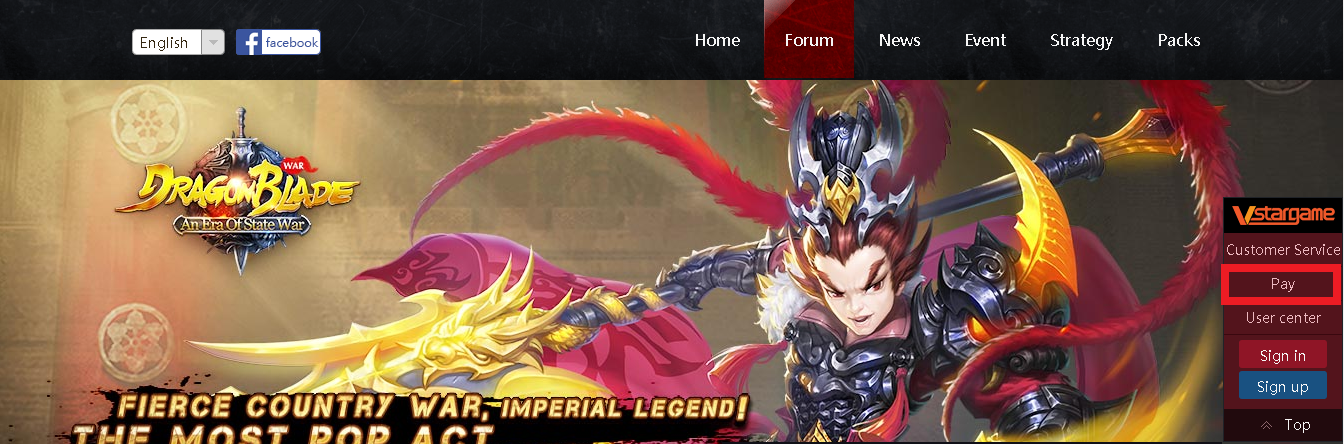
3. Login game account

4. Select game 【DragonBlade(战龙之刃)】 > Select server > Select character > Click 【Next】 to proceed

5. Select 【MyCard】 as your payment method

6. Key in your MyCard Serial number and Password . Next, click 【Confirm to pay】 to complete

II) In-game top up:
1. Download the APK file of DragonBlade and install it.
2. Login the game and select the 【Top Up】 button.

3. Press the item that you intended to buy.

4. Select 【Other】

5. Select【MyCard】

6. Key in your MyCard Serial number and Password . Next, click 【Confirm to pay】 to complete

Shall you having any issues regarding MyCard Top Up, reach us at our official Facebook page and leave us a message! Our customer service will reach back for you as soon as possible:https://www.facebook.com/MyCardMalaysia
