MyCard Malaysia 官方网站

MyCard Malaysia 官方网站 http://www.mycard.com.my
MyCard Malaysia FB https://www.facebook.com/MyCardMalaysia
顯示具有 vstargame 標籤的文章。 顯示所有文章

2016年9月14日 星期三

四大名捕 MyCard储值教学


Android载点:http://bit.ly/2cYDsyO

储值步骤
1. 首先登入游戏平台官方网:https://lsmsg.vstargame.com/

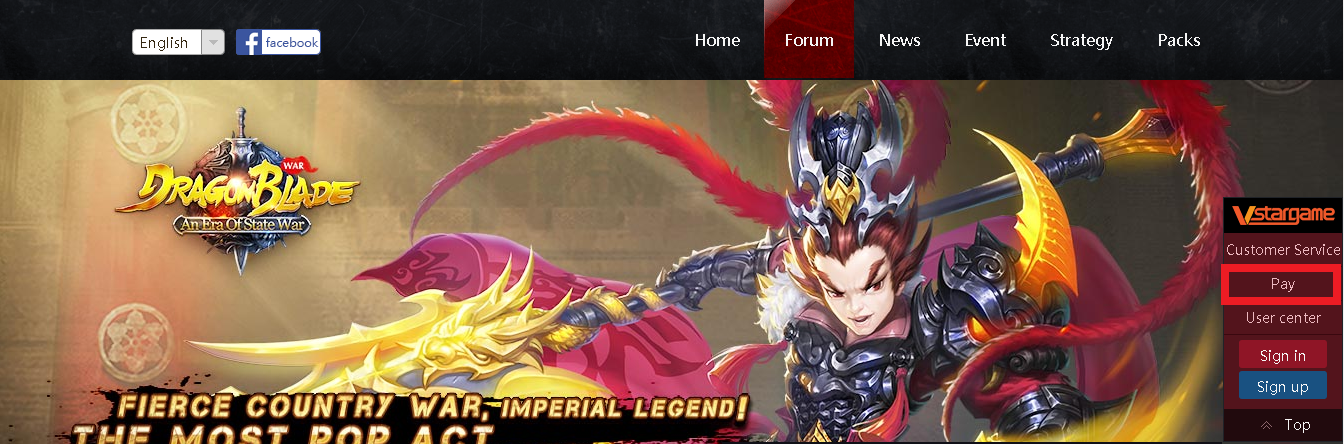
2. 点击【游戏充值】

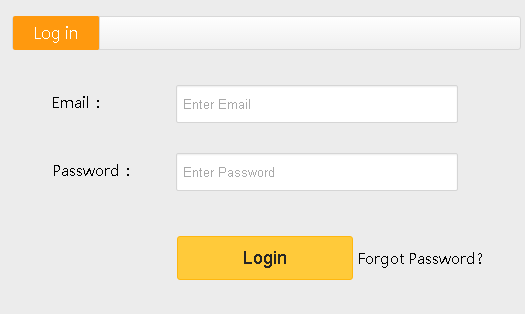
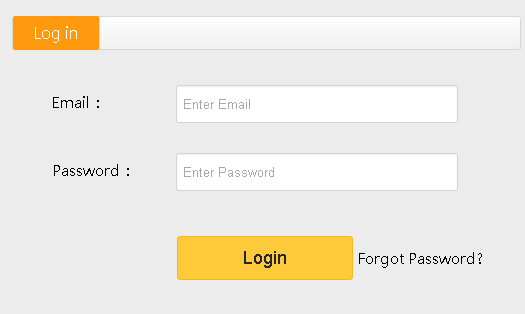
3. 输入您的邮箱和密码, 然后点击登录

4. 选择游戏为<四大名捕>,再<选择伺服器>, 然后<选择游戏角色>,最后点击<确认>

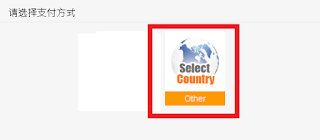
5. 选择<other>

5. 进支付管道页面,点击<Malaysia>然后选择< MyCard點數卡>作为支付方式

6. 输入 MyCard卡号(Serial Number)和密码( Password), 然后点击<Confirm to pay>即可

若您在使用MyCard储值上有任何疑问,请前往MyCard Malaysia粉丝页私讯询问,客服人员会在工作时间内尽早回覆:https://www.facebook.com/MyCardMalaysia

2016年5月13日 星期五

守护者联盟(League of Defenders) MyCard储值教学


APK Download:http://bit.ly/1UXxpsL
Android Download:http://bit.ly/27iv1Sz
iOS Download:http://apple.co/222TRC2

Official site top up:
1. Visit the official page:https://lod.vstargame.com/en
1. 首先登入游戏平台官方网:https://lod.vstargame.com/zh-CN

2. Click 【Pay】
2. 点击【游戏充值】

3. Login game account
3. 输入您的邮箱和密码, 然后点击登录

4. Select game 【League of Defenders】 > Select server > Select character > Click 【Next】 to proceed
4. 选择游戏为<守护者联盟>,再<选择伺服器>, 然后<选择游戏角色>,最后点击<下一步>

5. Select 【MyCard】 as your payment method
5. 进支付管道页面,选择< MyCard>作为支付方式

6. Key in your MyCard Serial number and Password . Next, click 【Confirm to pay】 to complete
6. 输入 MyCard卡号(Serial Number)和密码( Password), 然后点击<Confirm to pay>即可

Shall you having any issues regarding MyCard Top Up, reach us at our official Facebook page and leave us a message! Our customer service will reach back for you as soon as possible:https://www.facebook.com/MyCardMalaysia

若您在使用MyCard储值上有任何疑问,请前往MyCard Malaysia粉丝页私讯询问,客服人员会在工作时间内尽早回覆:https://www.facebook.com/MyCardMalaysia

2016年4月21日 星期四

Immortal Sword(剑仙传) MyCard Topup Guide


APK Download:http://bit.ly/1VH2j9s
Android Download:http://bit.ly/1VlLu4i
iOS Download:http://apple.co/1pjtppm

Official site top up:
1. Visit the official page:https://immortalsword.vstargame.com/en
1. 首先登入遊戲平台官方網:https://immortalsword.vstargame.com/zh-CN

2. Click 【Pay】
2. 點擊【Pay】

3. Login game account
3. 輸入您的郵箱和密碼, 然後點擊登錄

4. Select game 【Immortal Sword】 > Select server > Select character > Click 【Next】 to proceed
4. 選擇遊戲為<剑仙传>,再<選擇伺服器>, 然後<選擇遊戲角色>,最後點擊<下一步>

5. Select 【MyCard】 as your payment method
5. 進支付管道頁面,選擇< MyCard>作為支付方式

6. Key in your MyCard Serial number and Password . Next, click 【Confirm to pay】 to complete
6. 輸入 MyCard卡號(Serial Number)和密碼( Password), 然後點擊<Confirm to pay>即可

Shall you having any issues regarding MyCard Top Up, reach us at our official Facebook page and leave us a message! Our customer service will reach back for you as soon as possible:https://www.facebook.com/MyCardMalaysia

若您在使用MyCard儲值上有任何疑問,請前往MyCard Malaysia粉絲頁私訊詢問,客服人員會在工作時間內盡早回覆:https://www.facebook.com/MyCardMalaysia

2016年2月16日 星期二

幻想编年史(Fantasy Chronicles) MyCard Topup Guide


APK Download:https://bit.ly/1SQ8rvr
Android Download:https://bit.ly/1KmzI5K
iOS Download:https://apple.co/1KmzFqy

Official site top up:
1. Visit the official page:https://fantasy.vstargame.com/en
1. 首先登入遊戲平台官方網:https://fantasy.vstargame.com/zh-CN

2. Click 【Pay】
2. 點擊【Pay】

3. Login game account
3. 輸入您的郵箱和密碼, 然後點擊登錄

4. Select game 【幻想编年史】 > Select server > Select character > Click 【Next】 to proceed
4. 選擇遊戲為<幻想编年史>,再<選擇伺服器>, 然後<選擇遊戲角色>,最後點擊<下一步>

5. Select 【MyCard】 as your payment method
5. 進支付管道頁面,選擇< MyCard>作為支付方式

6. Key in your MyCard Serial number and Password . Next, click 【Confirm to pay】 to complete
6. 輸入 MyCard卡號(Serial Number)和密碼( Password), 然後點擊<Confirm to pay>即可

Shall you having any issues regarding MyCard Top Up, reach us at our official Facebook page and leave us a message! Our customer service will reach back for you as soon as possible:https://www.facebook.com/MyCardMalaysia

若您在使用MyCard儲值上有任何疑問,請前往MyCard Malaysia粉絲頁私訊詢問,客服人員會在工作時間內盡早回覆:https://www.facebook.com/MyCardMalaysia

2016年1月21日 星期四

战舰帝国(League of Warship) MyCard Topup Guide


APK Download:https://bit.ly/1JZahXg
Android Download:https://bit.ly/1ZNWp9v
iOS Download:https://apple.co/1PqhGLr
Official Site:https://leagueofwarship.vstargame.com/en
Facebook Page:https://www.facebook.com/LeagueofWarship

Official site top up:
1. Visit the official page:https://leagueofwarship.vstargame.com/en
1.  首先登入遊戲平台官方網:https://leagueofwarship.vstargame.com/en

2. Click 【Pay】
2.  點擊【Pay】

3. Login game account
3.  輸入您的郵箱和密碼, 然後點擊登錄

4. Select game 【战舰帝国】 >  Select server >  Select character  > Click 【Next】 to proceed
4.  選擇遊戲為<战舰帝国>,再<選擇伺服器>, 然後<選擇遊戲角色>,最後點擊<下一步>

5. Select 【MyCard】 as your payment method
5.  進支付管道頁面,選擇< MyCard>作為支付方式

6. Key in your MyCard Serial number and Password . Next, click 【Confirm to pay】 to complete
6.  輸入 MyCard卡號(Serial Number)和密碼( Password), 然後點擊<Confirm to pay>即可

Shall you having any issues regarding MyCard Top Up, reach us at our official Facebook page and leave us a message! Our customer service will reach back for you as soon as possible:https://www.facebook.com/MyCardMalaysia

若您在使用MyCard儲值上有任何疑問,請前往MyCard Malaysia粉絲頁私訊詢問,客服人員會在工作時間內盡早回覆:https://www.facebook.com/MyCardMalaysia

2015年12月21日 星期一

Legend Of Swords MyCard Topup Guide


APK Download:http://bit.ly/1NGy5LR
Android Download:http://bit.ly/1NxCW40
iOS Download:http://apple.co/1UUEXKn
Official Site:https://los.vstargame.com/en
Facebook Page:https://www.facebook.com/legendofswords

Official site top up:
1. Visit the official page:https://los.vstargame.com/en

2. Click 【Pay】

3. Login game account

4. Select game 【Legend Of Swords】 >  Select server >  Select character  > Click 【Next】 to proceed

5. Select 【MyCard】 as your payment method

6. Key in your MyCard Serial number and Password . Next, click 【Confirm to pay】 to complete

Shall you having any issues regarding MyCard Top Up, reach us at our official Facebook page and leave us a message! Our customer service will reach back for you as soon as possible:https://www.facebook.com/MyCardMalaysia

2015年11月17日 星期二

DragonBlade MyCard Topup Guide


APK Download:http://bit.ly/1PLuMa5
Android Download:http://bit.ly/1H5Ogou
Official Site:https://dragonblade.vstargame.com/
Facebook Page:https://www.facebook.com/dragonbladegame

# Note: The players need to reach level 10 for displayed MyCard options

Currently there are two methods to top up using MyCard:
I) Official site top up
II) In-game top up

I) Official site top up:
1. Visit the official page:https://dragonblade.vstargame.com/

2. Click 【Pay】

3. Login game account

4. Select game 【DragonBlade(战龙之刃)】 >  Select server >  Select character  > Click 【Next】 to proceed

5. Select 【MyCard】 as your payment method

6. Key in your MyCard Serial number and Password . Next, click 【Confirm to pay】 to complete

II) In-game top up:
1. Download the APK file of DragonBlade and install it.

2. Login the game and select the 【Top Up】 button.

3. Press the item that you intended to buy.

4. Select 【Other】

5. Select【MyCard】

6. Key in your MyCard Serial number and Password . Next, click 【Confirm to pay】 to complete

Shall you having any issues regarding MyCard Top Up, reach us at our official Facebook page and leave us a message! Our customer service will reach back for you as soon as possible:https://www.facebook.com/MyCardMalaysia

2015年10月22日 星期四

召唤之夜 MyCard儲值教學


APK載點:http://bit.ly/1OjN3eF
Android載點(中文):http://bit.ly/1GjyTIF
Android載點(英文):http://bit.ly/1RXVhbR
官方網站:https://underworld.vstargame.com/
FB專頁:https://www.facebook.com/leagueofunderworld

儲值步驟
1.   首先登入遊戲平台官方網:https://underworld.vstargame.com/

2.   點擊【遊戲充值】

3.   輸入您的郵箱和密碼, 然後點擊登錄

4.   選擇遊戲為<League Of Underworld(召唤之夜)>,再<選擇伺服器>, 然後<選擇遊戲角色>,最後點擊<下一步>

5.   進支付管道頁面,選擇< MyCard>作為支付方式

6.   輸入 MyCard卡號(Serial Number)和密碼( Password), 然後點擊<Confirm to pay>即可

若您在使用MyCard儲值上有任何疑問,請前往MyCard Malaysia粉絲頁私訊詢問,客服人員會在工作時間內盡早回覆:https://www.facebook.com/MyCardMalaysia