MyCard Malaysia 官方网站

MyCard Malaysia 官方网站 http://www.mycard.com.my
MyCard Malaysia FB https://www.facebook.com/MyCardMalaysia
顯示具有 Ngames 標籤的文章。 顯示所有文章

2016年10月21日 星期五

Rumble Realm MyCard储值教学


Android载点:http://bit.ly/2dua9zH

储值方式有两种:
i)官网储值
ii)  游戏内储值

i) 官网储值:
1. 首先登入NGAMES游戏官网:http://rr.ngames.com/

2. 点击【CHARGE】

3.登入帐号

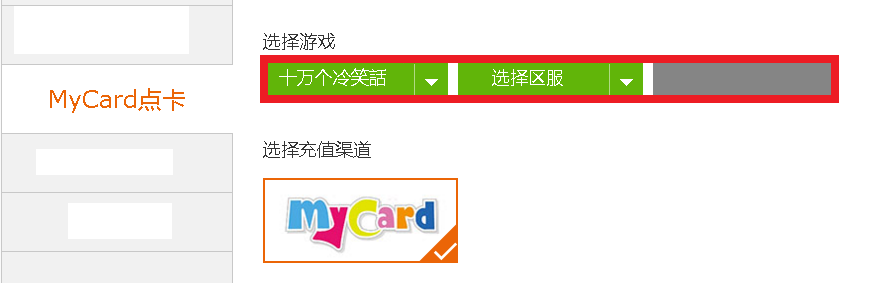
4.点击左手旁的【Voucher】> 选择游戏【十万个冷笑话】 > 选择区服 > 确认角色名称 > 选择充值渠道【MyCard】>国家选择【Malayia】>选择欲购买的商品

5.输入MyCard卡号(Serial number)与密码(Password),然后点击【充值】即可

ii) 游戏内储值:
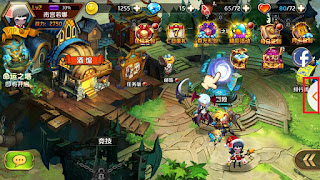
1.首先登入游戏,点击右方的悬浮按钮

2.选择【充值】

3.选择【充值卡】作为储值通道

4.进入储值管道页面,选择【MyCard点卡】作为支付选项

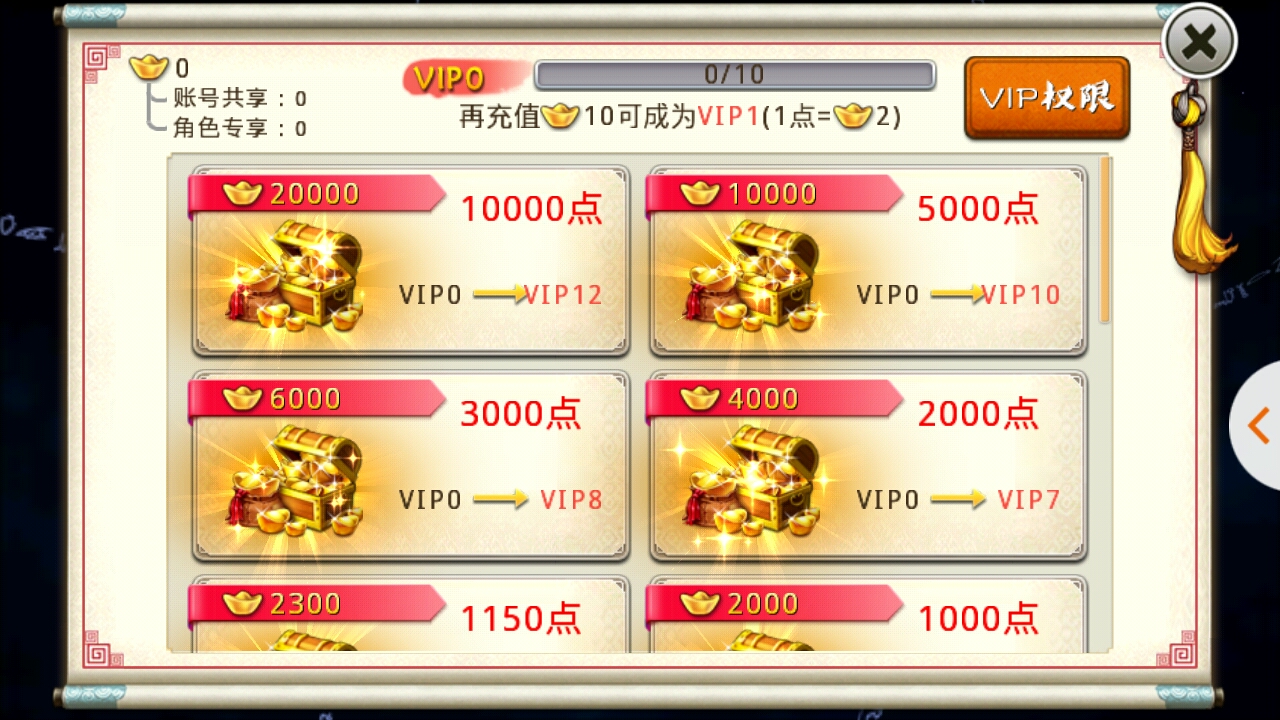
5.选择欲购入的钻石

6.确认帐号资料后点击【Confirm】

7.输入对应的MyCard卡号(Serial number)与密码(Password),点击【儲值】即可

若您在使用MyCard储值上有任何疑问,请前往MyCard Malaysia粉丝页私讯询问,客服人员会在工作时间内尽早回覆:https://www.facebook.com/MyCardMalaysia

2016年5月12日 星期四

夏目的美丽日记(Romantic Diary) MyCard Topup Guide


APK Download:http://bit.ly/24QE5iy
Android Download:http://bit.ly/1qfgxAW
iOS Download:http://apple.co/1T9pQ2R
Official Site:http://rd.ngames.com/
官方网站:http://xm.ngames.com/

i) Official site top up
i) 官网储值
1. Visit the official page:http://rd.ngames.com/
1. 首先登入游戏官网:http://rd.ngames.com/

2. Click 【CHARGE】
2. 点击上方的【CHARGE】

3. Login game account
3. 登入帐号

4. Select 【Voucher】> Select game【Romantic Diary】 > Select Server > Confirm with character name > Select 【MyCard】
4. 点击<MyCard海外点卡>,选择游戏“夏目的美丽日记” > 选择区服 > 确认“角色名称 ”>点击MyCard

5. Select the item that you intended to buy.
5. 点击欲购买的商品

6. Enter your MyCard Serial number and Password, then press the orange button 【充值】(Top Up) to complete
6. 输入对应的MyCard卡号(Serial number)与密码(Password),然后点击【充值】即可

II) In-game top up
ii) 游戏内储值
1. Login the game and select the button on the right
首先登入游戏,点击右方的悬浮按钮

2. Select 【Charge】
2. 选择<Charge>

3. Select 【Voucher】
3. 选择<Voucher>

4. Select 【MyCard】 as your payment method
4. 进入储值管道页面,选择<MyCard点数卡>作为支付选项

5. Select the items that you intended to buy
5. 选择欲购买的商品

6. Press 【Confirm】 to proceed to the next step
6. 点击<Confirm>

7.Enter your MyCard Serial number and Password, then press the orange button 【充值】(Top Up) to complete.
7.输入对应的MyCard卡号(Serial number)与密码(Password),点击<充值>即可

Shall you having any issues regarding MyCard Top Up, reach us at our official Facebook page and leave us a message! Our customer service will reach back for you as soon as possible:https://www.facebook.com/MyCardMalaysia

若您在使用MyCard儲值上有任何疑問,請前往MyCard Malaysia粉絲頁私訊詢問,客服人員會在工作時間內盡早回覆:https://www.facebook.com/MyCardMalaysia

2015年11月13日 星期五

十万个冷笑话 虚宝领取教学

1.首先登入游戏,点击右上角的<齿轮>

2.进入菜单,选择<兑换>

3.输入序号后点击<好的>,即可于信箱中领取奖励

2015年11月12日 星期四

十万个冷笑话 MyCard储值教学


APK载点:http://bit.ly/1Y5RGvL
FB粉丝页:https://www.facebook.com/wglxsg
官网:http://lexisg.ngames.com/

储值方式有两种:
i)官网储值
ii) 游戏内储值

i) 官网储值:
1. 首先登入NGAMES游戏官网:http://lexisg.ngames.com/

2. 点击<游戏储值CHARGE>

3.登入帐号

4.点击“MyCard点卡”> 选择游戏“十万个冷笑话” > 选择区服 > 确认角色名称 > 选择充值渠道“MyCard”

5.点击欲购买的商品

6.输入MyCard卡号(Serial number)与密码(Password),然后点击“充值”即可

ii) 游戏内储值:
1. 首先登入游戏,点击左上角的<充值>

2.选择欲购买的商品

3.进入储值管道页面,选择<MyCard点卡>作为支付选项

4.选择欲购入的元宝

5.点击<确认储值>

6.输入对应的MyCard卡号(Serial number)与密码(Password),点击<储值>即可

若您在使用MyCard储值上有任何疑问,请前往MyCard Malaysia粉丝页私讯询问,客服人员会在工作时间内尽早回覆:https://www.facebook.com/MyCardMalaysia

2015年7月2日 星期四

我是冬己 MyCard儲值教學


Android载点:http://apple.co/1IMQ3JF
iOS载点:http://apple.co/1IMQ3JF
APK载点:http://bit.ly/1R6iegi
FB粉丝页:https://www.facebook.com/fashionddung
官网:http://qxby.ngames.com/

储值方式有两种:
i)官网储值
ii)  游戏内储值
i) 官网储值:
1.首先登入NGAMES游戏官网:http://ddungtw.ngames.com/

2.登入帐号


3.
点击<游戏储值CHARGE>

4.点击“MyCard点卡”> 选择游戏“我是冬己” > 选择区服 > 确认角色名称 > 选择充值渠道“MyCard”

5.点击欲购买的商品


6.输入MyCard卡号(Serial number)与密码(Password),然后点击“充值”即可


ii) 游戏内储值:
1.首先登入游戏,点击右方的悬浮按钮
 
2.选择<Charge>(储值)
 
3.进入储值管道页面,选择<MyCard点卡>作为支付选项
4.选择欲购买的商品
 
5.点击<确认储值>
 
6.输入对应的MyCard卡号(Serial number)与密码(Password),点击<充值>即可